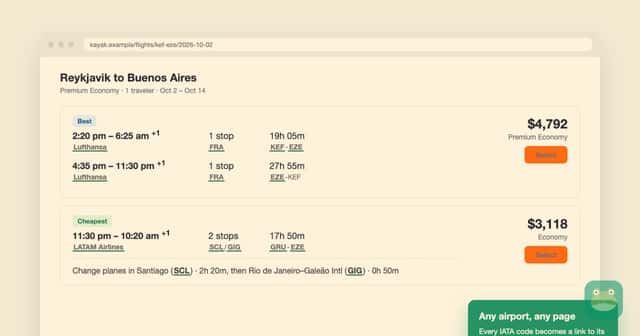
Airport codes are everywhere in travel planning. They show up in fare searches, trip reports, airline emails and forum threads. Lounge Frog now has a free Chrome extension that turns those codes into links to its lounge guides. It opens them in a side panel, so you don't lose the page you were reading.
The extension is listed on the Chrome Web Store as Lounge Frog. The current version is 1.5.2, updated October 25, 2026.
Airport codes become lounge links
The extension knows more than 6,000 IATA airport codes. When one appears on a page, it becomes a link to that airport on Lounge Frog. For example, LHR leads to the London Heathrow guide. Airline codes link too, to profiles such as British Airways. The extension also catches text that is added to a page after it first loads.
Click a link and the side panel opens on the Airports section. There you can search an airport, pick a terminal and narrow the lounge list with two filters:
- Open now shows lounges that are open at the moment.
- My access uses your Lounge Frog wallet to show lounges your cards and memberships may get you into. A match does not guarantee entry, so check the lounge's own rules.
On supported airline websites, the panel previews that airline's Lounge Frog profile. The toolbar icon also shows the airline's code, so you know which carrier you're looking at.
Seat maps from aircraft names
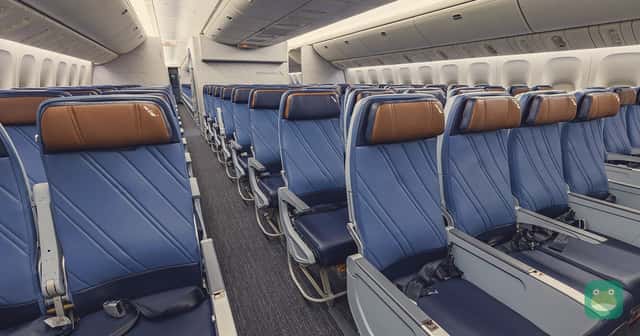
The extension also reads aircraft names. A phrase such as "British Airways Airbus A350-1000" links to the matching seat map on Seats Frog.
- If one layout matches, the link opens it directly.
- If the airline flies more than one layout of that aircraft, you get a short list and pick the one on your booking.
- It does not guess the aircraft from a flight number.
In the Seats section of the panel, choose a published layout and tap a seat to see its rating. You can also check "Seats to avoid." These are published configurations, not live seat availability.
Your account in the panel
You don't need an account for the automatic links. If you sign in on loungefrog.com, the panel shows your home airport, your programs and your lounge access. You never type a password into the extension itself.
The panel also has a "Find nearby lounges" button. It reads your location only when you click it. The coordinates are used to work out airport distances and are not stored or sent to the Lounge Frog API.
The Points section links loyalty program names to calculators, so you can estimate a balance in your currency. You can also compare an award with its cash price. Lounge Frog has its own points value pages too. Values are estimates.
Install in four steps
- Open the Chrome Web Store listing and add the extension. It is free and needs Chrome 116 or newer. Lounge Frog says it also runs in Edge, Brave and other Chromium browsers.
- Open or reload a page that mentions an airport, airline or aircraft.
- Click a highlighted reference to open it in the side panel.
- Sign in on loungefrog.com if you want your own lounge access shown.
Privacy and site controls
The store listing says page text is matched in your browser and never uploaded. It says the extension does not collect browsing history, does not track you or run analytics, and does not download executable code. If you sign in, your session token is stored locally and sent only to the Lounge Frog API.
You can turn linking off everywhere or just on one site and its subdomains. The extension skips code blocks, form fields and editable text, and it leaves existing links alone. Text drawn on a canvas can't be linked. Linking is always off on Lounge Frog and its sister sites.
Lounge hours and rules can change. Check the lounge and your ticket before you head to the airport. More details are on the extension page.